Buying a TV in India in 2026 is confusing for one main reason: the specs look impressive on paper and the prices swing wildly during sales, so it is hard to tell what actually improves your daily viewing. The good news is that even budget TVs today are far better than what you got a few years ago, and you rarely need to spend at the top to be happy.
This guide cuts through the marketing. Most of your watching is streaming (Netflix, Prime, Hotstar/JioHotstar, YouTube) plus some cricket and a bit of cable. That means the panel quality, the software you tap through every day, and how well the TV is serviced in your city matter far more than a big number on the box.
Below you will find what genuinely affects picture and daily use, honest budget bands in rupees, the mistakes that cost people money, and India-specific tips on warranty, service and sale timing. Read the "what matters" and "mistakes" sections even if you skip everything else.
Our top tvs picks right now
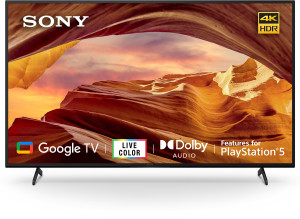

Samsung Neo QLED QN90D 65 Mini-LED
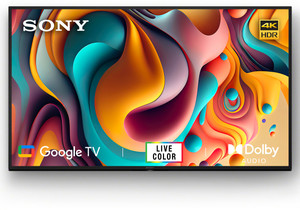
Sony Bravia X64L 43 4K Google TV (KD-43X64L)
Want the full ranked list with filters and live prices?See all tvs ranked ›
What actually matters when buying tvs
What to expect at each budget
Who it’s for — the right tvs by person
Common mistakes to avoid
- Buying too small to save money. A 43 inch in a big living room feels cramped within weeks. Match size to your seating distance first, then set the budget.
- Chasing 8K or falling for fake refresh-rate numbers. There is almost no 8K content in India, and 'Motion Rate 200' or 'MEMC 120' often masks a real 60Hz panel. Confirm the native panel refresh rate.
- Trusting HDR and brightness claims on cheap TVs. A ₹20,000 TV that says 'HDR10 Dolby Vision' usually isn't bright enough to show HDR properly. Judge the actual picture, not the sticker.
- Ignoring the built-in sound. Slim TVs sound thin, and buyers regret not budgeting a small soundbar. Plan for one if dialogue clarity or movie audio matters.
- Only looking at the price and not after-sales service. A cheaper brand with no service centre in your city becomes a nightmare when the panel fails. Check local service before buying.
- Assuming the biggest sale discount is real. Some 'flat 50% off' prices are inflated MRPs. Track the actual selling price for a few weeks before a sale so you know the genuine deal.
Tips for buying in India
- Buy during the big sale events. Flipkart's Big Billion Days and Amazon's Great Indian Festival (around Sept-Nov, festive season) and Republic Day sales offer the steepest genuine TV discounts, plus bank card cashback and no-cost EMI. If you can wait, wait for these.
- Stack bank offers and exchange. Use the instant discount on partner bank cards (often 10%) and the old-TV exchange bonus. Combined with no-cost EMI, this can knock several thousand off without haggling.
- Check panel warranty specifically, not just 'warranty'. The panel is the costliest part. Many brands give 1 year comprehensive plus extra panel warranty; confirm what is covered and whether it is on-site (technician visits home) versus carry-in.
- Verify service in YOUR city, especially for value brands. Established brands (Sony, Samsung, LG) have wide service networks; some online-first brands are patchy in smaller towns. A quick call to the local service centre before buying saves grief later.
- Prefer buying big TVs where installation and demo are included. For 55 inch and above, professional wall-mounting and a demo help avoid transit damage disputes. Inspect the panel for cracks the moment it is unboxed, on camera if possible, since transit damage claims are time-sensitive.
- Protect the panel from Indian power swings. Run the TV through a good surge protector or a voltage stabiliser, especially in areas with frequent fluctuations or generator/inverter switchover. Surge and lightning damage to the panel is usually not covered under warranty, and the panel is the single costliest part to replace.
- Confirm the wall-mount bracket is actually included. 'Free installation' often means the technician's labour only; the correct VESA fixed or tilt mount may be a separate ₹500-2,000. Also make sure a heavy 55-inch-plus set is anchored into a solid wall, not a plywood partition or hollow drywall.
- Check your internet before buying for 4K. Smooth 4K streaming needs a stable connection of roughly 25 Mbps or more; on slow or congested broadband the picture quietly drops to blurry 480p no matter how good the TV is. If your line is weak, prefer a wired LAN port over WiFi, or size your expectations accordingly.
- Mind glare and daylight, and measure access. Don't mount the TV directly opposite a large window; a dim budget panel washes out badly during the day, so in a bright room spend on a brighter panel rather than features you won't use. Measure your door, lift and wall space before ordering a 55-inch-plus set.
Frequently asked questions
What size TV should I buy for my living room?
Match it to how far you sit. For 7-9 feet (a typical Indian living room), 50 to 55 inch 4K is ideal. Sit farther or want a cinematic feel? Go 65 inch. A bedroom is fine with 43 inch. When in doubt, size up, not down.
Is QLED or OLED worth the extra money?
QLED gives richer, brighter colours than a plain LED and is worth a small premium, especially in bright rooms. OLED has the best blacks and contrast for movies in a darker room, but it is significantly costlier and unnecessary for casual daytime viewing. For most families, a good QLED at 50-55 inch is the smart buy.
Which smart TV platform is best: Google TV, Fire TV, or a brand's own OS?
Google TV/Android TV has the widest app support and easy casting. Fire TV is smooth if you are in the Amazon ecosystem. Brand systems like Tizen (Samsung) and WebOS (LG) are polished but have fewer apps. Whatever you pick, confirm your key apps (JioHotstar, SonyLIV, Zee5, YouTube) work and that the TV has at least 2GB RAM so it stays responsive.
Should I buy online or from a local store?
Online (Flipkart/Amazon) usually has the best prices, especially during sales, with bank offers and easy exchange. Local stores can match on service, let you see the picture in person, and sometimes throw in a soundbar or wall mount. For value brands, online is often cheaper; for premium TVs where you want a demo and hassle-free service, a good local dealer is worth considering.
Do I really need 120Hz and HDMI 2.1?
Only if you game on a PS5 or Xbox Series X, where 120Hz and HDMI 2.1 make games noticeably smoother. For normal viewing and cricket, a good 60Hz panel is completely fine. Don't pay extra for features you won't use.
When is the best time to buy a TV in India?
The festive sales from September to November (Big Billion Days, Great Indian Festival) usually have the deepest genuine discounts, followed by Republic Day sales in late January. Track the real selling price for a few weeks beforehand so you can tell a true deal from an inflated 'MRP discount'.
Which TV is best for a college student in a hostel or PG?
First check if your hostel even allows one and whether you have space. If yes, buy small and portable: a 32-inch HD or 43-inch 4K smart TV that fits a shared desk and is easy to carry home and resell later. Skip large sizes and premium panels; a value brand like Xiaomi, Redmi, TCL or Acer for ₹15,000-27,000 is the sensible choice. For one person, honestly, a laptop plus a cheap streaming stick on an existing display often makes more sense than buying a TV.
What TV should I get for my elderly parents?
Prioritise ease of use and clear dialogue over fancy picture modes. Look for a simple remote with a voice-search button and few buttons, large readable menus, and a brand (Samsung, LG, Sony) with phone support and home service they can call easily. A 43-50 inch 4K is plenty. Crucially, add a modest soundbar (₹3,000-8,000): TV speakers are thin and hard on older ears, and clearer dialogue makes the biggest real-world difference for them.
Is a big 4K TV a good first TV for a child's room?
Go modest, not big. A 32-inch HD or 43-inch 4K in a bedroom is enough and cheaper to replace if it takes a knock. Set up the platform's parental controls, a PIN on the app store, and screen-time limits before handing it over. If your child games on a console, one HDMI 2.1 / 120Hz-capable input future-proofs it, but you don't need a full gaming TV for a kid's room. Budget ₹18,000-32,000.
Can I use a TV as a work-from-home monitor or a creator's preview screen?
For a preview or second screen, yes, it is great; for detailed spreadsheet or code work up close, a proper monitor is better because a 55-inch panel is too large at desk distance and text can look soft. If you want to try it, sit farther back, use the TV's PC or Game mode to cut input lag, and confirm it accepts 4K at 60Hz over HDMI. Creators should still colour-grade on a calibrated monitor and treat the TV only as a big-screen review display.